Inlet
Reminders and events,
in one line.
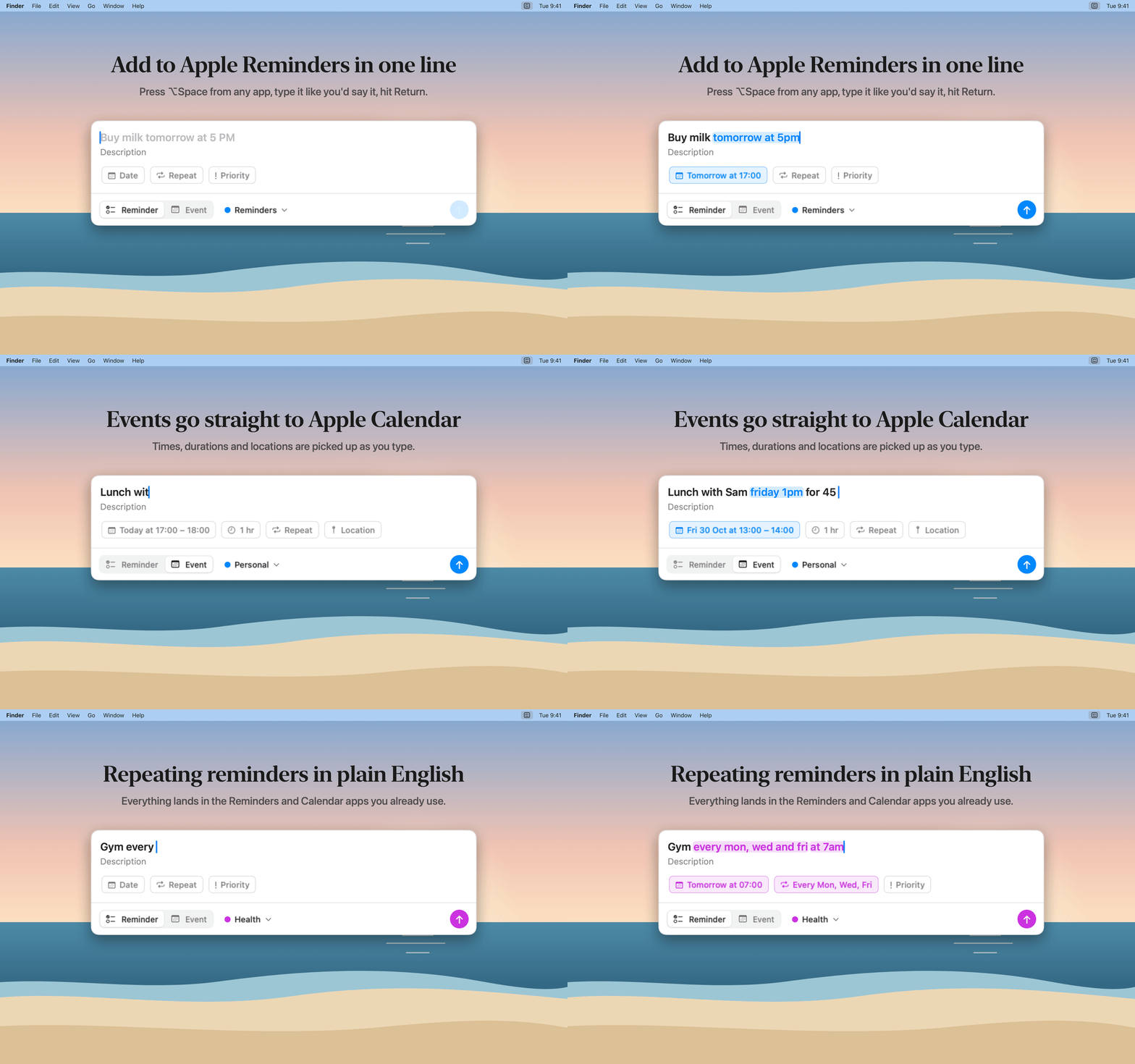
Press ⌥ Space from any app, type it like you'd say it, and press Return. Inlet saves it straight to Apple Reminders or Apple Calendar.
Free · Version 1.0 · macOS 14 or later
Type it like you'd say it
Dates, times and repeats are picked up and highlighted as you type, so you see what will be saved before you save it.
- Buy milk tomorrow at 5pm
- Pay rent every month
- Gym every Mon, Wed and Fri at 7am
- Call the dentist in 20 minutes
Calendar events too
Press Command-E to switch to Event mode. Durations, time ranges, all-day and multi-day events, repeats and locations all work.
- Lunch with Sam Friday 1pm for 45 min @ Nando's
- Team offsite Mar 3 to Mar 5
Lists and priority
Add #groceries to save to your Groceries list. Add !, !! or !!! to set priority.
- Buy milk #groceries !!
- Renew passport !!!
Nothing new to learn
Everything lands in the Reminders and Calendar apps you already use, and syncs to your iPhone, iPad and Apple Watch through iCloud as usual.
Stays out of your way
Lives in the menu bar with no Dock icon. Pick any keyboard shortcut you like, and launch it at login.
Private by design
No accounts, no analytics, no tracking. Your reminders and events never leave Apple's apps. Privacy policy
Version 1.0 · macOS 14 or later